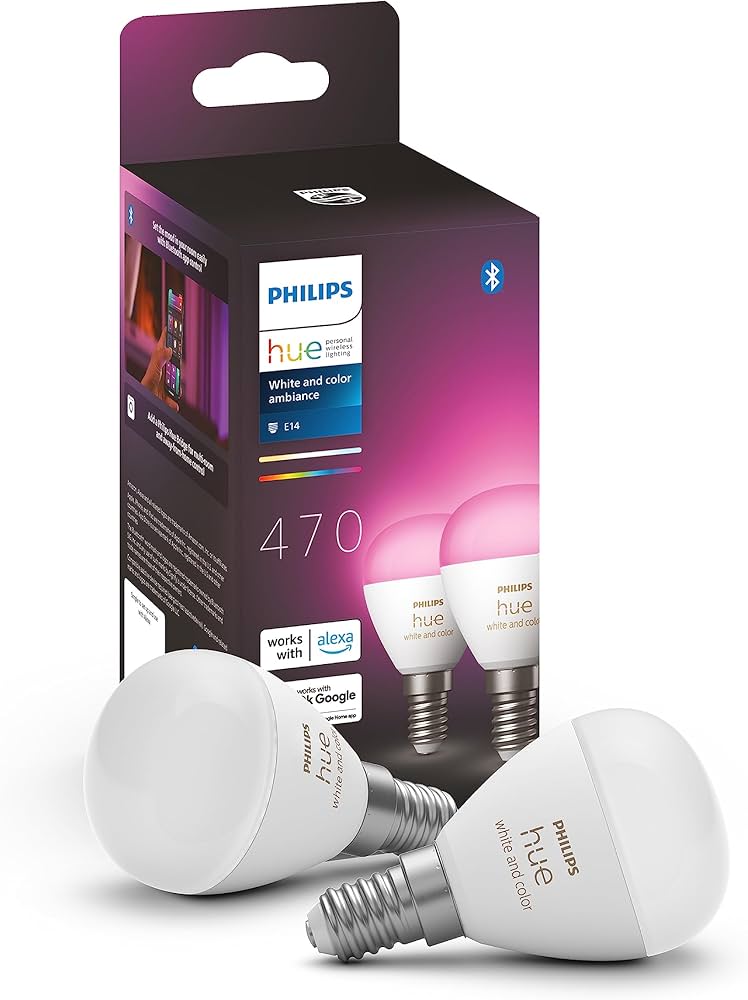
If your Philips Hue lights keep disconnecting, dropping off the app, or randomly refusing to respond, you're far from alone. It's one of the most common smart home issues people in Trafford, Manchester, and Warrington ask me to fix. And honestly, when Hue works, it works brilliantly — but when it misbehaves, it can be infuriating.
As a smart home installer covering the Greater Manchester area, I spend a fair amount of my week troubleshooting Hue setups. The good news? Most problems have clear causes and straightforward fixes. Below, I'll break down the five most common Hue problems I see, how to troubleshoot them, and when it might be time to call in a professional.
1. Firmware Update Failures
A surprising number of Hue disconnecting issues come from incomplete or stuck firmware updates. Hue relies heavily on both the Bridge and the bulbs having the right firmware, and when one device is out of sync, things start going wrong fast.
Common symptoms
- Lights randomly greyed out in the app
- Bulbs unresponsive after a restart
- Updates stuck at "Downloading" or "Installing"
- Scenes failing or triggering inconsistently
DIY Troubleshooting
- Reboot the Bridge – Unplug it for 10 seconds and reconnect.
- Update over Ethernet, not Wi-Fi – If your Bridge is using Wi-Fi via a mesh node, move it to the main router.
- Update bulbs one at a time – If everything tries to update simultaneously, the process can choke.
- Check app version – Outdated apps can cause mismatches with the Bridge.
If updates continually fail or devices stay "unreachable," it can indicate a deeper Zigbee mesh issue or corrupted firmware on individual bulbs.
2. Philips Hue Bridge Problems
The Bridge is the heart of older Hue systems. When it starts acting up, the whole system becomes flaky. Around Trafford and I see a lot of Bridges that are simply positioned badly, or connected in a way that causes constant dropouts.
Common symptoms
- Multiple bulbs unreachable
- Rooms slow to respond
- Accessories (switches, motion sensors) not updating status
- App saying "Bridge not found"
DIY Troubleshooting
- Wired connection only – The Hue Bridge must be connected directly to your router or main network switch.
- Move it away from your router – Hue uses Zigbee, which competes with 2.4GHz Wi-Fi. Keep the Bridge 1 metre away from the router if possible.
- Use the centre port on your router – Some routers handle IoT devices strangely on certain ports.
- Check for overheating – A lot of customers keep their Bridge on top of a Sky Q box or behind a radiator. Not ideal.
If your Bridge is old (around 7+ years), it might simply be failing — that's something I can test on-site.
3. Zigbee Interference Around the Home
Zigbee is normally rock-solid, but only if the environment lets it be. Trafford and Manchester homes often have thick walls, extensions built at different times, and loads of Wi-Fi congestion — all of which can disrupt Hue.
Common symptoms
- Bulbs drop out in one part of the house
- Lights work fine for days then suddenly fail
- Outdoor lights disconnect frequently
- Motion sensors slow to respond
DIY Troubleshooting
- Change Zigbee channel – In the Hue app, pick a channel that's not clashing with your 2.4GHz Wi-Fi (e.g., Wi-Fi on Channel 1 → Zigbee Channel 25).
- Add mains-powered bulbs – These act as Zigbee repeaters and strengthen the mesh. Battery devices do not repeat.
- Avoid placing bulbs behind metal – Metal light fittings or foil-backed insulation can kill Zigbee range.
- Move the Bridge – Sometimes a 20–30cm shift solves everything.
If your home layout is complex (long terraces, loft conversions, garden rooms), it might need a redesigned Zigbee mesh.
Pro Tip
Mains-powered Hue bulbs (not battery devices) act as Zigbee mesh repeaters. If you're experiencing dropouts in one area of your home, adding even one mains-powered bulb in that zone can dramatically improve reliability.
4. Bulbs Dropping Offline or Failing Completely
Hue bulbs are good, but not immune to failure. I see a fair number of older bulbs in Trafford and Manchester that simply give up after years of use, or struggle when installed in enclosed fixtures.
Common symptoms
- One or two bulbs frequently "unreachable"
- Bulbs coming back only after powering them off
- Colour bulbs showing incorrect colours
- Brightness stepping or flickering
DIY Troubleshooting
- Turn the light switch fully off for 10 seconds – This forces a hard reset on the bulb.
- Swap bulbs – If a bulb works in another fitting, the issue might be the lampholder.
- Avoid enclosed fixtures – Heat shortens the lifespan dramatically.
- Check for power dimmers – Hue bulbs can't work properly with wall dimmer circuits.
If one bulb keeps dropping off, replacing it is the easiest fix. If entire rooms drop out, it's usually a Zigbee mesh or Bridge placement problem.
5. App Connectivity Issues
Sometimes the bulbs are fine. The Bridge is fine. The app is the problem.
This happens a lot when people switch to a mesh Wi-Fi system like BT Whole Home, Orbi, Deco, Eero, or UniFi.
Common symptoms
- App says you're "not on the same network"
- Bridge unreachable when you're upstairs
- Controls only work when on mobile data or VPN
- Automations not running
DIY Troubleshooting
- Disable AP Isolation / Client Isolation – Some routers block IoT devices from talking to phones.
- Make sure the Hue Bridge is connected to the main router node – Not a satellite node.
- Check DHCP – Conflicting IP addresses can stop the app finding the Bridge.
- Try the Hue Web app – If it works there, it's definitely an app-to-Bridge networking issue.
Mesh Wi-Fi setups are the number one cause of Hue app complaints I see these days.
When Should You Call a Professional?
Most Hue problems can be sorted at home with a bit of patience. But there are times when a professional smart home installer is worth calling:
- You've tried everything and the same bulbs keep disconnecting
- Your mesh Wi-Fi and Zigbee networks are clashing
- You have a large home with multiple extensions or thick walls
- You want Hue to work with other systems like Home Assistant, Alexa, Apple Home, or SmartThings
- Your Bridge seems to be failing but you're not sure
As someone who repairs Hue setups across Trafford, Warrington, and Manchester, I can fully test your Zigbee network, measure interference, check firmware corruption, and reconfigure your system properly.
Need Expert Help?
Based in Trafford, Warrington, or Manchester? YHTG can diagnose and fix your Hue issues or recommend reliable alternatives.
Contact Us TodayReliable Alternatives if You're Considering Moving Away From Hue
Hue is popular, but it's not the only choice — and honestly, it's no longer the most reliable for everyone.
Here are alternatives I often recommend:
TP-Link Tapo
- Excellent stability
- No Bridge required
- Works with Wi-Fi directly
- Affordable bulbs and accessories
- Great app
IKEA Tradfri
- Zigbee-based
- Surprisingly reliable when set up correctly
- Good choice for simple warm/white lighting
- Works well with Home Assistant
These systems usually give fewer headaches, especially in homes where Zigbee interference is an ongoing problem.